

All of our phones have photos of special moments in life – childs first birthday, romantic trip or a beautiful sunset at the edge of the shore. It’s great to carry those photos with you, look at them from time to time and smile while remiding those moments. Photo book is the easiest way to put memories between covers and share them with your loved ones.
But how do you put a photo book together?
1. Select a suitable photo book template.
It’s easier than you think: on the photo books PrintMeEasy front page, click on the “START CREATING” button or go straight to choosing a photo books template. Choose the template with the suitable theme. Choosing from the category “Fast & Simple”, where’s 3 different varierities. That’s the easiest way to start putting together your first photo book. Design editor is really fool-proof and doesn’t have many extra functions.
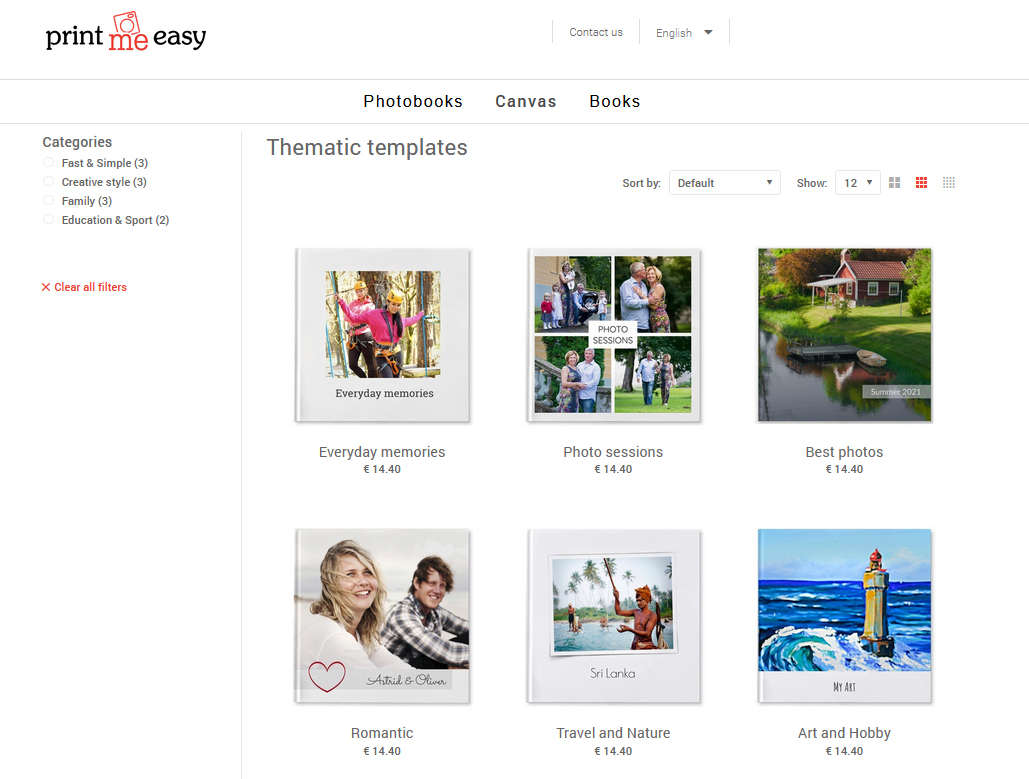
When the template is chosen, choose the cover (hardcover, softcover or spiral). We recommend the hardcover book, it’s the most durable, looks like a classic book and is the most popular one. Most popular dimensions for the book are 21x21cm and 27x20cm, paper type semiglossy. From there press the ”START CREATING” and start making your photo book.
2. Choose the photos, that you want use in the photo book.
Every templates minimum amount of pages is 24 and maximum 250. You need about 25-40 photos to put together an easy photo book. Easiest way to add photos from your phone is to scan the QR-code, that appears on the computer screen and choose the suitable photos.
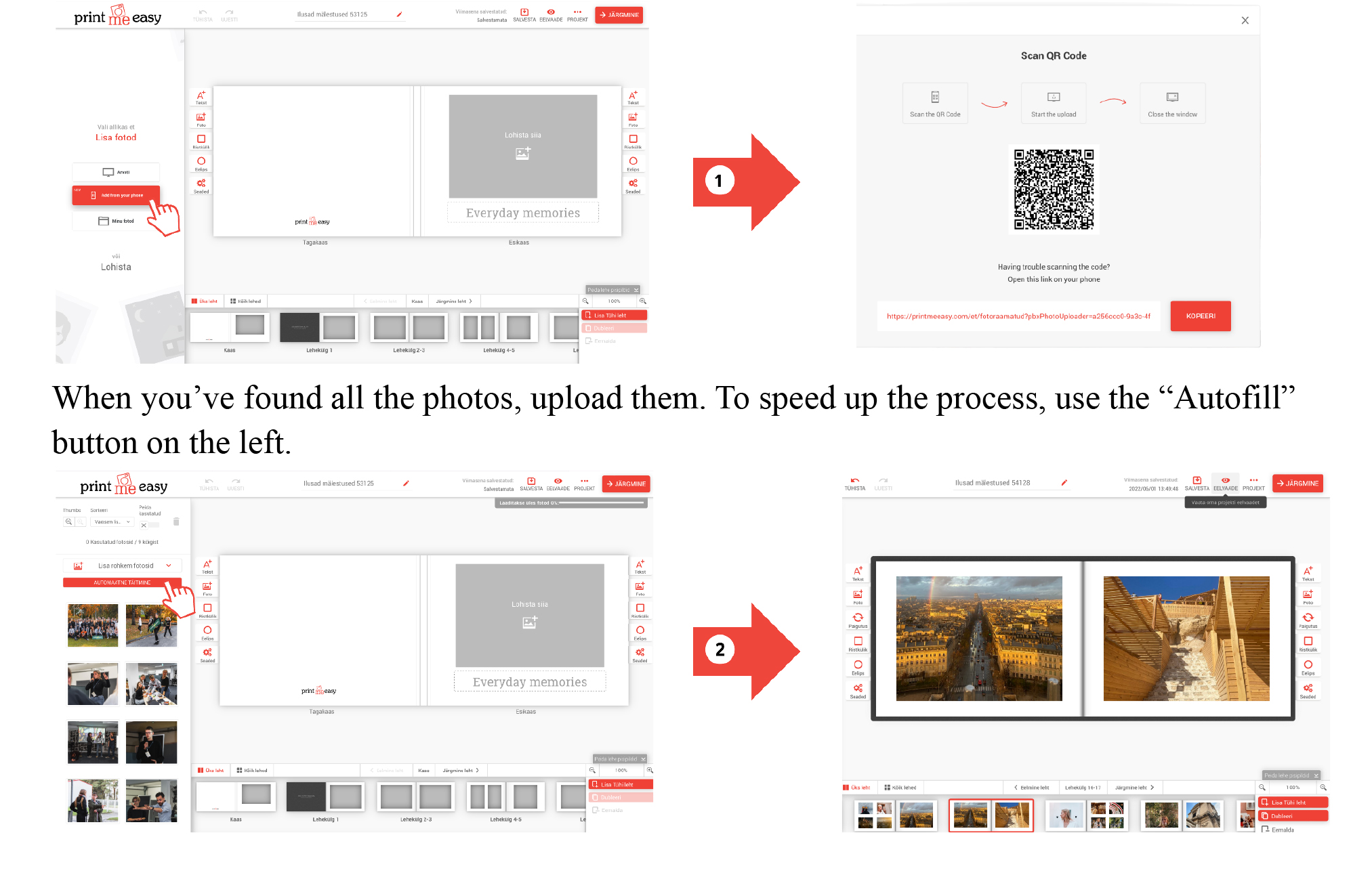
3. Edit your photo book
If you wish to edit a photos size, delete it or change its position, click on the photo and make desired adjustments. Be aware, that first layout in the book is the front page and last page. If you wish, you can make the photo book more detailed, by adding text (for example the creation date of a photo or adding the names of people on the photo). Depending on the template, the design editors’ possibilities are different. If you choose a template from category “Fast & Simple”, are possibilities simplified. You can always save the made photo book and it’s accessible for you later under your projects on the PrintMeEasy page.
4. Double-check your photo book
Before sending the photo book, double-check it with the preview function. After that hit save and move to the last part. If your photo book has some kind of errors, the program lets you know automatically. Last but not least, verify the details of the order and choose, if you want the photo book packed in the gifting wrap or not.

5. Order you photo book.
Enter your details, select the appropriate delivery and payment terms. When entering your details, you may save many addresses and choose the suitable one when creating an order.The average time to complete an order is 3-5 days. It’s easy to put together a photo book and it creates beautiful memories for many long years. Create a memorable gift to your loved one – mother or father, grandmother or grandfather, brother or sister or even your friend or sweetheart: give a book full of memories.
Start creating it here!